100% Free
100% Secure
100% Accurate

Bank Statement Converter

Convert PDF bank statements to CSV or Excel instantly. Upload your file and get clean, structured transaction data in seconds.

Drag & drop your PDF bank statement
or click below to browse your files
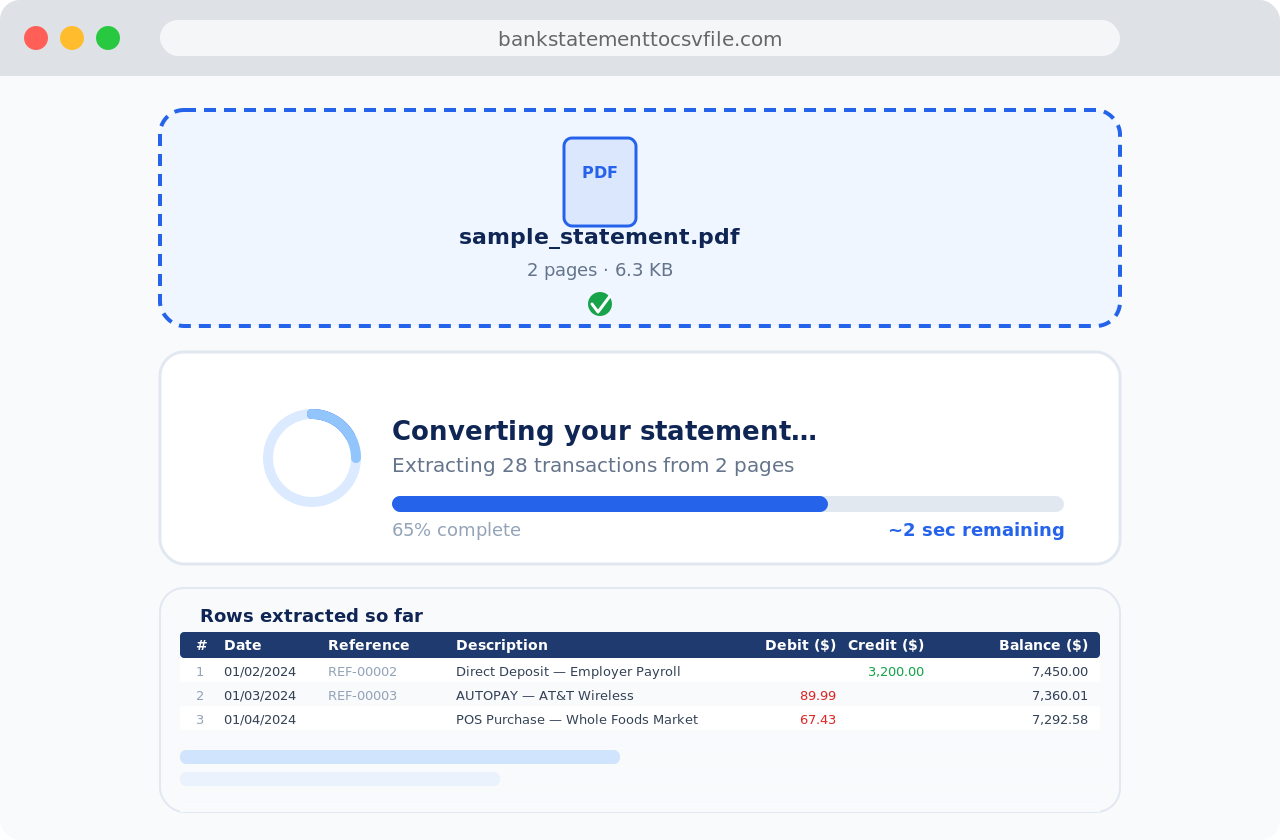
Converting your statement… Usually 5–10 seconds
Files deleted after 24 hours · No signup required · Works with 1000+ banks

The world's most trusted bank statement converter

Easily convert PDF bank statements from 1000s of banks worldwide into clean Excel (XLS) or CSV format.

🔒

Secure

All files are processed in isolation and permanently deleted within 24 hours. We never store or sell your financial data.

🏢

Institutional

Used by thousands of accounting, legal, and financial firms to process bank statements accurately at scale.

🎯

Accurate

Our parser handles hundreds of bank formats. If a file does not convert correctly, contact us and we fix it.

👤

Anonymous

No account needed. Upload your PDF and download the CSV — completely anonymous, with no data retained.

Simple, honest pricing

No hidden fees. Cancel anytime. 40% cheaper than competitors.

Monthly Annual Save 35%
Free
$0
forever
 
30 pages / month
  • CSV & Excel export
  • No sign-up required
  • Files deleted after 24h
  • All major banks supported
Start Free
Starter
$4.99
/ month
Billed $39/year — save $21
500 pages / month
  • CSV & Excel export
  • All major banks supported
  • Email support
  • Cancel anytime
Get Started
Most Popular
Professional
$9.99
/ month
Billed $79/year — save $41
2,000 pages / month
  • CSV & Excel export
  • All major banks supported
  • Priority email support
  • Cancel anytime
Get Started
Business
$19.99
/ month
Billed $149/year — save $91
Unlimited pages
  • CSV & Excel export
  • All major banks supported
  • Priority support
  • Cancel anytime
Get Started

Need more? Contact us for custom enterprise pricing.

Bank Statement to CSV Converter

Convert your PDF bank statements to CSV or Excel format in 3 steps

1

Upload Your PDF

Drag and drop your PDF bank statement or click to browse. Supports text-based and standard PDF formats from any bank.

2

Automatic Conversion

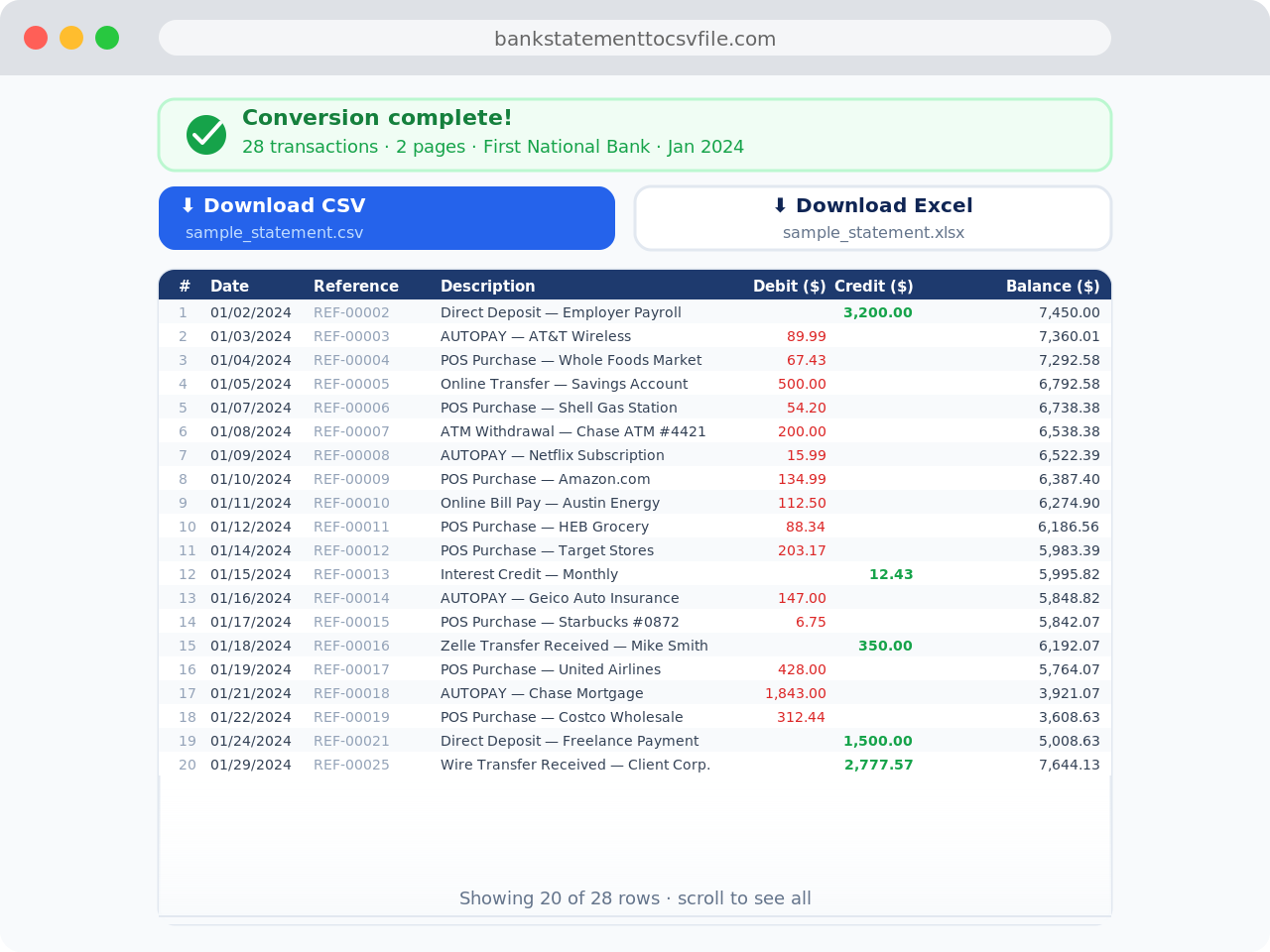
The bank statement converter extracts transaction data — dates, descriptions, amounts, and running balances — automatically.

3

Download Your CSV or Excel

Get a clean, ready-to-use CSV or Excel (.xlsx) file in seconds. Open it in Excel, Google Sheets, or import directly into your accounting software.

Bank Statement Converter

Turn your PDF bank statements into actionable insights

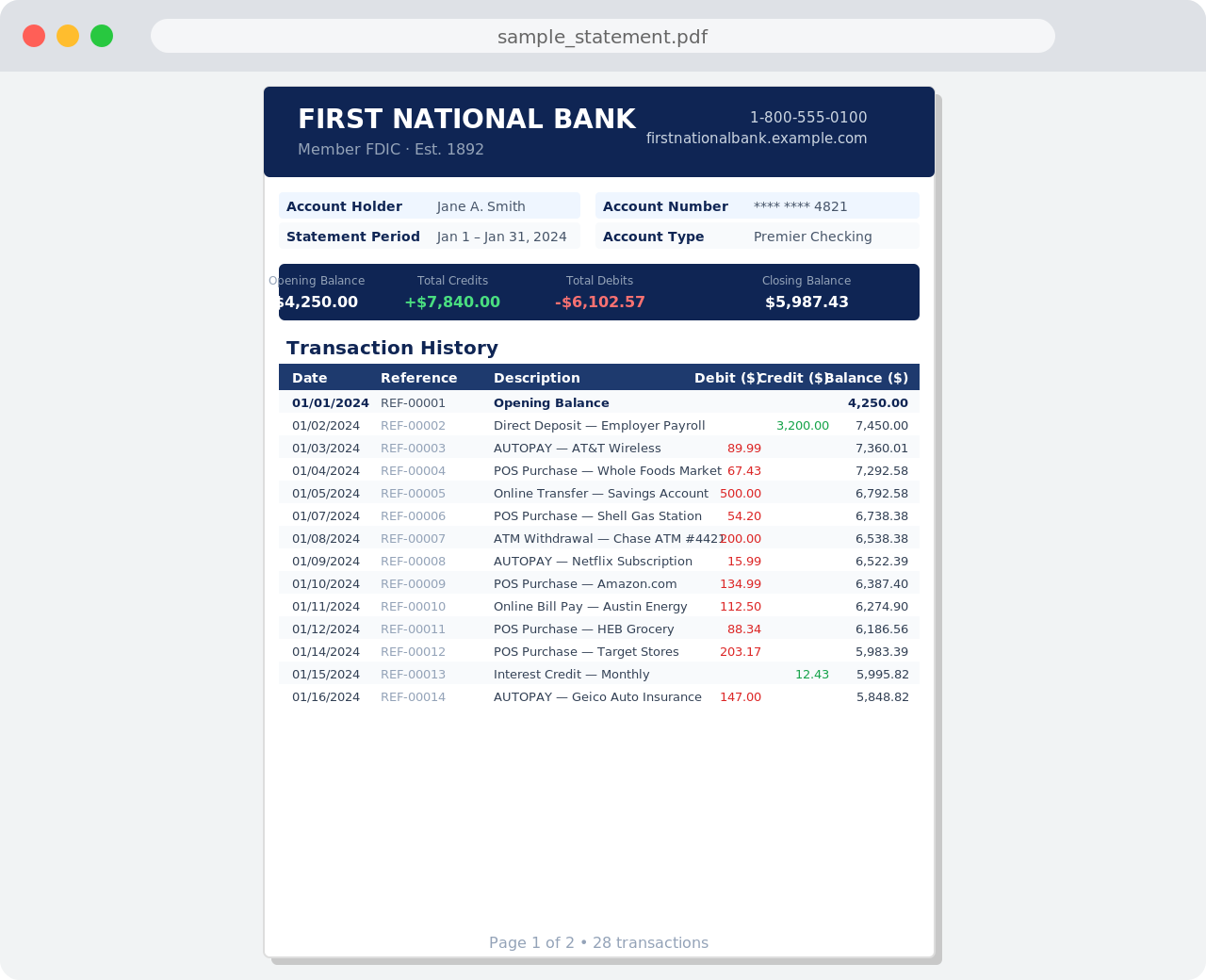
PDF bank statements are clean and formatted — but impossible to analyze. You cannot filter transactions, sort by amount, or run formulas on a PDF. The bank statement to CSV converter at BankStatementToCSVFile.com solves this. Upload your PDF and get structured, machine-readable data in seconds.

Structured transaction data means you stop reading numbers and start understanding them. Every date, description, debit, credit, and running balance is extracted and placed into clean columns — ready for Excel, Google Sheets, QuickBooks, Xero, or any accounting software.


Why convert your PDF bank statements to Excel or CSV

1. From static PDFs to real insights

A bank statement converter turns fixed-layout PDFs into dynamic, structured data. Once transactions are in Excel (XLS) or CSV format, you can:

2. Faster bookkeeping, cleaner reports

Manual data entry is slow and error-prone. With your bank statement in Excel or CSV, you can:

3. Unified cash flow across all accounts

Managing multiple bank accounts or entities through PDFs makes it hard to see the full picture. Convert each statement to CSV format, merge them into one source of truth, and:


How to convert a bank statement to Excel or CSV

There are 3 common approaches to get from PDF to spreadsheet:

Manual copy-paste

Slow, error-prone, and unsustainable for any volume of statements. Fine for one page, not for regular use.

Online bank statement converters

Automated tools that extract transaction data from PDF bank statements using reliable OCR (Optical Character Recognition). When choosing an online converter, look for:

Direct bank integrations

Connect your bank accounts directly to financial software to get transaction data automatically — without uploading any PDFs at all. The right choice depends on your volume and workflow.


What to look for in a bank statement converter

The best bank statement converter meets 5 requirements:

Financial clarity should not come at the cost of data security. BankStatementToCSVFile.com meets all 5 requirements with no signup required for basic use.


From record-keeping to real-time strategy

PDFs are designed for archiving. They are not built for analysis.

When you convert bank statements to Excel or CSV, you turn passive records into active insights. That is the difference between looking at your cash flow and leading with it. Stop wrangling PDFs. Start making faster, data-driven decisions with structured transaction data that works in any tool.
Still converting bank statements manually?

Upload your PDF now and get a clean CSV or Excel file in seconds.

Convert Bank Statement Free

Frequently Asked Questions

What is a bank statement?

A bank statement is your official monthly record of every transaction in your account — what came in, what went out, and what remained. It serves as your financial fingerprint for a given period and includes:

Bank statements are used for reconciling books, preparing taxes, applying for funding, and spotting errors. Most banks issue them as PDF files, which is where a bank statement converter becomes useful.

What is a bank statement converter?

A bank statement converter transforms a static PDF file into a structured, machine-readable format that software can actually use. It extracts raw transactions and organizes them into standardized data fields — date, description, debit amount, credit amount, and running balance.

PDFs are designed for reading, not analysis. A bank statement converter unlocks that data so you can analyze, automate, and integrate it across your financial stack. This process powers bookkeeping, cash-flow forecasting, funding applications, and audits.

Why should I convert a PDF bank statement to Excel or CSV?

PDFs are designed for humans — not for automation. Converting to Excel or CSV makes 5 things possible that are impossible in a PDF:

Converting a bank statement to Excel or CSV turns a static document into a living source of financial truth.

How do I convert my bank statement from PDF to Excel or CSV?

Converting a bank statement to CSV or Excel takes 3 steps:

  1. Upload or drag and drop your PDF bank statement into the converter above.
  2. The converter extracts and structures all transactions automatically.
  3. Download your clean, ready-to-use CSV or Excel file.

No manual cleanup. No formatting required.

Is the bank statement converter free?

Yes — the bank statement to CSV converter at BankStatementToCSVFile.com is free to use with no signup required. Anonymous users get 3 free conversions. Registered accounts (also free) get 20 conversions per month. Paid plans start at $4.99/month (Starter) for up to 500 pages, up to $19.99/month for unlimited pages.

What if I don't want to keep converting PDFs every month?

Upgrade to a Starter, Professional, or Business plan for unlimited automatic batch processing. Instead of manually uploading statements one by one, batch convert multiple PDF bank statements at once and get your CSV or Excel files in seconds.

What types of files does the converter support?

The converter accepts PDF bank statements and exports them to CSV or Excel (.xlsx) format. Both output formats open correctly in Excel, Google Sheets, QuickBooks, Xero, and any other accounting or analytics tool. The converter works with standard text-based PDF bank statements from over 1000 banks worldwide.

Will the converted file include all transactions?

Yes — all transactions are included, provided the PDF is readable and follows a standard structure. The converter extracts 4 data fields per transaction: transaction date, description, debit or credit amount, and running balance (where available). If a PDF is password-protected or uses an unusual layout, contact us and we will resolve it.

Still have questions?

Contact us at hello@bankstatementtocsvfile.com or use the converter above to try it for free. Most standard bank statements convert flawlessly in under 10 seconds.